Skip to content
All modules Academics

Student Attendance software for Indian schools

Mark by class or period

Feature identity

Student Attendance

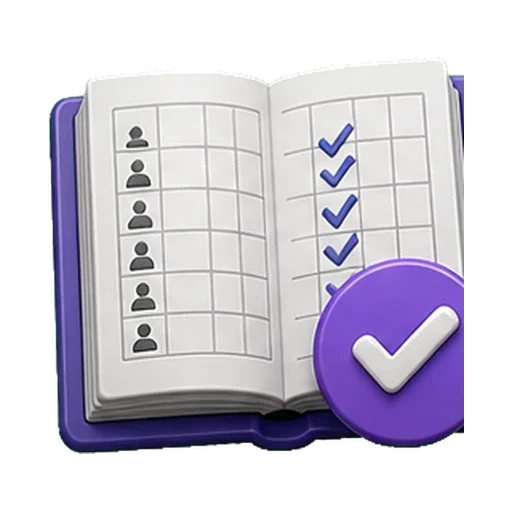
An illustration, not a screenshot. The interactive example below shows what this capability actually does.

Example view

Student Attendance in a school workflow

Mark by class or period

Academics
Student Attendance in a school workflow
Academics
  1. 01
    Required context

    Student roster and teacher section scope must be confirmed before rollout.

  2. 02
    Supported work

    Keyboard-first marking (1-4, arrow keys) and “all present” with one-tap undo.

  3. 03
    Reviewable result

    An auditable daily or period register with fast marking, explicit late/leave states and controlled corrections.

Example record

Student Attendance

Authorised view
  • Keyboard-first marking (1-4, arrow keys) and “all present” with one-tap undo
  • Whole-day or per-period registers with a clean day roll-up rule
  • Configured absence alerts queue on save with consent, opt-out and quiet-mode checks
  • Re-marking keeps a per-cell before/after audit diff — nothing is silently overwritten
An auditable daily or period register with fast marking, explicit late/leave states and controlled corrections.
Code-native illustrative example · not live product UI · no customer dataExample labels and outcomes come from this capability's reviewed catalogue record.

Product scope

What it does

Use keyboard-first marking, “all present” with one-tap undo, and period-wise or whole-day registers that roll up cleanly. When an absence-alert provider is configured, saving can queue an eligible guardian WhatsApp alert through the consent-aware funnel. A scheduled scan can flag students below the board-configured attendance threshold, and the CBSE Form-3 register is available for review.

The school problem

School teams need a dependable way to handle Student Attendance: Mark by class or period. The required records, assigned roles and review boundary must remain explicit.

Day-to-day work

How your school uses it day to day

Mark by class or period.

  1. Keyboard-first marking (1-4, arrow keys) and “all present” with one-tap undo
  2. Whole-day or per-period registers with a clean day roll-up rule
  3. Configured absence alerts queue on save with consent, opt-out and quiet-mode checks
  4. Re-marking keeps a per-cell before/after audit diff — nothing is silently overwritten

Operational result

What your school gets

An auditable daily or period register with fast marking, explicit late/leave states and controlled corrections.

Access and ownership

Who typically uses it

  • Class teacher
  • Subject teacher
  • Attendance coordinator
  • Principal
  • Parent or guardian

What each person can actually see depends on the role you give them and which classes or records you assign.

Availability and setup

What to confirm before rollout

Academics catalogue capability

  • Student roster and teacher section scope
  • Confirm plan scope, role permissions, data dependencies and any provider or migration prerequisites during the demo and proposal.

Flagship workflow deep dive

Daily & Period Attendance with Honest Follow-Through

Marked by the right teacher. Reviewed before it becomes a message.

Run the daily roll call and period-wise registers with record-level teacher scoping, review the month at a glance, let configured scans surface low-attendance patterns, and keep every parent-facing message inside the school's communication settings. Every number is computed from the stored register — nothing is inferred.

Interactive operating model

From a marked register to term evidence

Each stage shows who acts, which boundary applies, and what the register can prove afterwards.

Illustrative workflow · no customer data

Stage 1 of 5

Register marked

The class teacher marks the day — or a configured device feeds presence events.

Control point

Only staff scoped to the class-section can mark it; corrections are recorded changes.

Evidence retained

Marked-by, time and the per-day register rows.

Core workflows and features

The operational work behind the promise

  1. Daily roll call by class-sectionA teacher marks the day's register for their own class-section from the roster, with corrections recorded rather than overwritten silently.
  2. Period-wise registersWhere the school configures periods, per-period attendance runs alongside the daily register without double-counting a student's day.
  3. Record-level teacher scopingA classroom teacher can mark and read only the class-sections they actually teach — resolved from the timetable and explicit teaching assignments.
  4. Homeroom coverage without a periodA class-teacher assignment covers daily attendance for the homeroom even when no timetabled period exists for that teacher.
  5. Monthly grid reviewThe month grid shows each student's marked days in one view, so a wrongly marked day is caught before it reaches a report card.
  6. Configured low-attendance scanA scheduled scan flags students falling under the school's configured attendance threshold for staff review and follow-up.
  7. Monthly parent digestWhere the school enables it, a monthly attendance summary goes to parents through the configured communication channels.
  8. Optional device-fed presenceA supported biometric device can feed presence events into the register; the device scope is reviewed for each deployment.
  9. Attendance on the report cardAttendance context prints on report cards against board-configured thresholds, so the term's evidence matches the daily register.
  10. Attendance reports and exportsThe reports catalogue includes attendance registers and summaries with CSV or XLSX export for the school's own analysis.
  11. Staff attendance kept separateStaff presence runs on its own register with its own controls — student and staff attendance never share one book.

Deterministic signals, not model guesses

The register speaks for itself — on a schedule.

Attendance intelligence here is deliberately deterministic: scheduled scans and digests read the stored register and the school's configured thresholds. No model marks, predicts or messages anyone.

  • Flag configured low-attendance patterns from the recorded register on a schedule for staff review.
  • Feed the deterministic at-risk view that combines attendance with other recorded factors for authorised staff.
  • Send the configured monthly attendance digest to parents where the school has enabled it.
  • Compute every figure from stored register rows so a number can always be traced to marked days.

Human boundary

No model marks or edits attendance. Registers are recorded by authorised staff or a configured device feed; scans and digests only read what the register already says, and a flagged student is a review signal for staff — never an automatic action against a family.

Key daily uses

What the school team does here

  1. Take the morning register for your own class-section in under a minute of taps.
  2. Correct a wrongly marked day with the change recorded, not overwritten.
  3. Review the month grid before a parent-teacher meeting.
  4. Work the flagged low-attendance list and record the follow-up taken.
  5. Export the register for the school's own analysis or an inspection.

Used by

  • Class teacher
  • Subject teacher
  • Principal
  • Vice principal
  • Tenant administrator
  • Parent (digest recipient)

Actual access follows the school's plan, role permissions and record scope.

Measurable operating indicators

Metrics to track — not guaranteed ROI

Establish a baseline before rollout, agree the reporting period, then compare the school's own source evidence.

Register completion

Class-sections with today's register marked ÷ total class-sections

The daily discipline everything else in this module depends on.

Attendance rate

Days present ÷ working days, per student or per section

Reviewed by section and period band from the stored register — never presented as a prediction.

Follow-up coverage

Flagged low-attendance students with a recorded staff follow-up ÷ flagged students

A flag without a follow-up is just a report; this keeps the loop closed.

Prerequisites and availability

Confirm the operating context before rollout.

Core capability in every plan · device feeds, scans and digests are configured per school

  • Class-sections and teaching assignments must reflect who actually teaches where — marking scope follows them.
  • Period-wise registers need the school's period structure configured first.
  • The parent digest and low-attendance scan are enabled per school and respect its communication settings and recorded opt-outs.
  • A biometric device feed has its own device and connectivity scope, reviewed before rollout.

Connected operating context

Available workflows

These are the documented neighbouring capabilities that school teams may review with this module. A related page does not imply that every hand-off is automatic or enabled in every plan.

Explore all modules

Buyer questions

Frequently asked questions

The questions school owners ask before they subscribe: what it does, who can see it, and what to set up first.

Can any teacher mark any class's attendance?

No. Record-level scoping limits a classroom teacher to the class-sections they actually teach — resolved from the timetable, explicit teaching assignments, or a homeroom class-teacher link for daily attendance.

Will parents get automatic attendance messages?

Only what the school configures. The monthly digest and low-attendance scan are enabled per school, respect recorded opt-outs, and a new workspace holds non-essential outbound messages until the school explicitly goes live.

Does Student Attendance work on its own?

Period Attendance, Late Entry Tracking, Attendance Alerts, Daily Attendance Report are the documented neighbouring capabilities. They help a school evaluate the surrounding hand-offs, but a related page does not mean every integration is automatic or included in every plan.

What should our school prepare before enabling Student Attendance?

Student roster and teacher section scope. Confirm plan scope, role permissions, data dependencies and any provider or migration prerequisites during the demo and proposal.

Is AI used in Student Attendance?

No AI capability is asserted for Student Attendance. Its documented work remains controlled by school records, roles and permissions.

How do we confirm the plan and implementation scope?

Plan inclusion and rollout scope depend on the live plan matrix, readiness state and your school's written proposal. The demo team will confirm the applicable boundary before rollout.

Related evaluation guides

See it in your school context

Run student attendance the connected way.

See how this workflow fits your school's current records, roles, plan and rollout requirements.