A premium mobile experience
School days, made clear.
One connected app for students, guardians, teachers and school leaders — shaped around the next useful action, not a desktop squeezed onto a phone.
Native apps are in controlled early access; public store availability follows school review and staged rollout.
- Audience pathways
- 4 focused views
- Screen evidence
- 5 product screens
- Access model
- One permission system
Role-aware by design
The same school. A clearer path for every audience.
Each role opens on the action it needs next, with the same permissions the web platform enforces. These workflows are in controlled early access.
See the school update that matters
Student
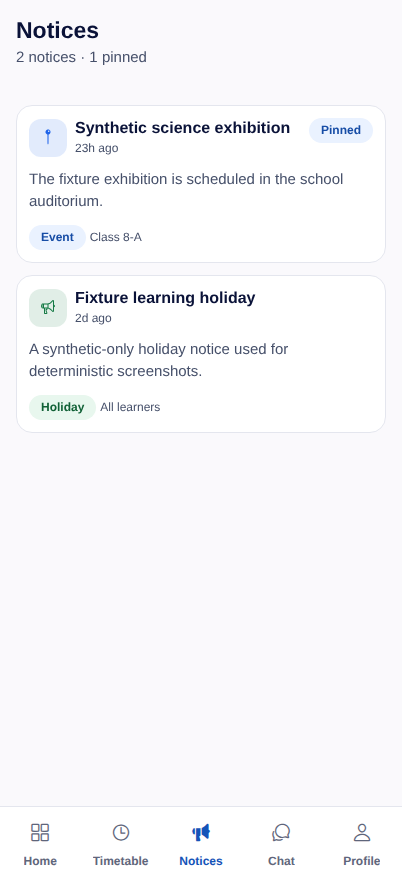
Pinned circulars and clearly labelled notices help students separate the next relevant update from the wider school feed.
- Scan pinned, event and holiday notices in one mobile view.
- Open updates within the audience set by the school.
Connected module journeys
Follow the mobile workflow.
Pick a workflow to see who it is for, what it shows and what happens next.
Parent or guardian
Aira assistant
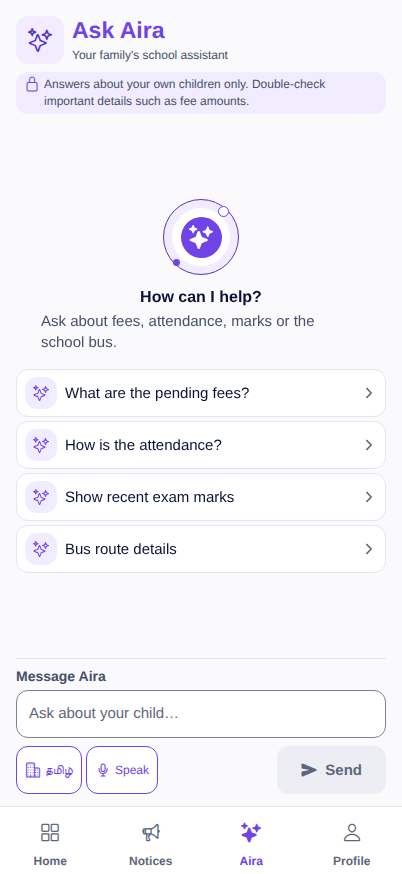
Ask child-scoped questions about fees, attendance, marks or transport by typing or speaking.
How the workflow behaves
Quick prompts begin common questions, while the interface asks families to double-check important details before acting.
More than a family companion
Useful when the school day gets operational.
Staff and leaders get focused mobile tools for the work that cannot wait for a desk.
Operations in the field
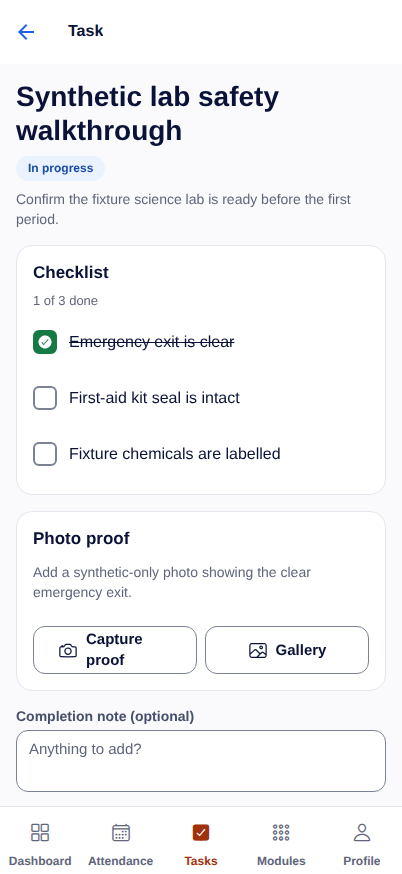
Priority tasks, typed checklists, QR scanning and proof capture for campus and transport teams — a submission keeps working through a network drop and syncs safely.
Teacher classroom toolkit
Day plan, sections, timetable, attendance, homework and marks stay together without turning the phone into a dense desktop.
Staff self-service
Leave, published payslips, Form 16 summaries and masked salary-account details stay available to the employee who owns them.
Leadership command centre
Fee collection, students at risk, finance figures and the approvals waiting on you — the numbers a head needs before deciding, on a phone.
Trust is part of the workflow
Calm on the surface. Accountable underneath.
Role-scoped access
A guardian sees their own children, while teachers work within assigned sections. Access is checked by the server, not merely hidden in the interface.
Accountable records
Protected downloads require an authenticated request, and review-only family records remain visibly read-only on mobile.
Usable by everyone on your staff
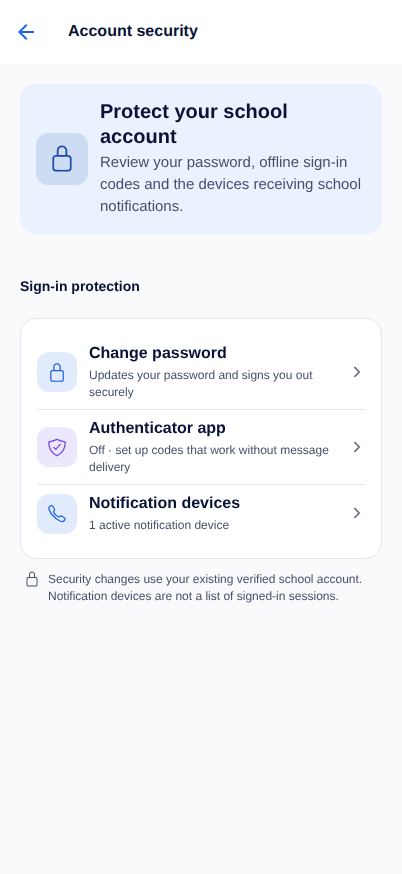
Comfortable touch targets, theme choices, persisted language settings and reduced-motion-aware interactions support different ways of using the app.
Bring the school day closer
See the app through your school’s workflows.
We’ll walk through the roles and modules that matter to your team, then connect them to the wider Vidyapeeth360 platform.