Available now
Student admission
Capture enquiries, review applications and carry accepted student context into enrolment.
Explore capabilityOne connected operating layer for the school day
Bring admissions, attendance, academics, fee collection, people, transport, tasks, reports and family communication into one permission-aware workspace—built around the way Indian schools actually operate.

A connected school day
Move from the executive view into academics and finance while keeping the same workspace, role boundaries and review trail.
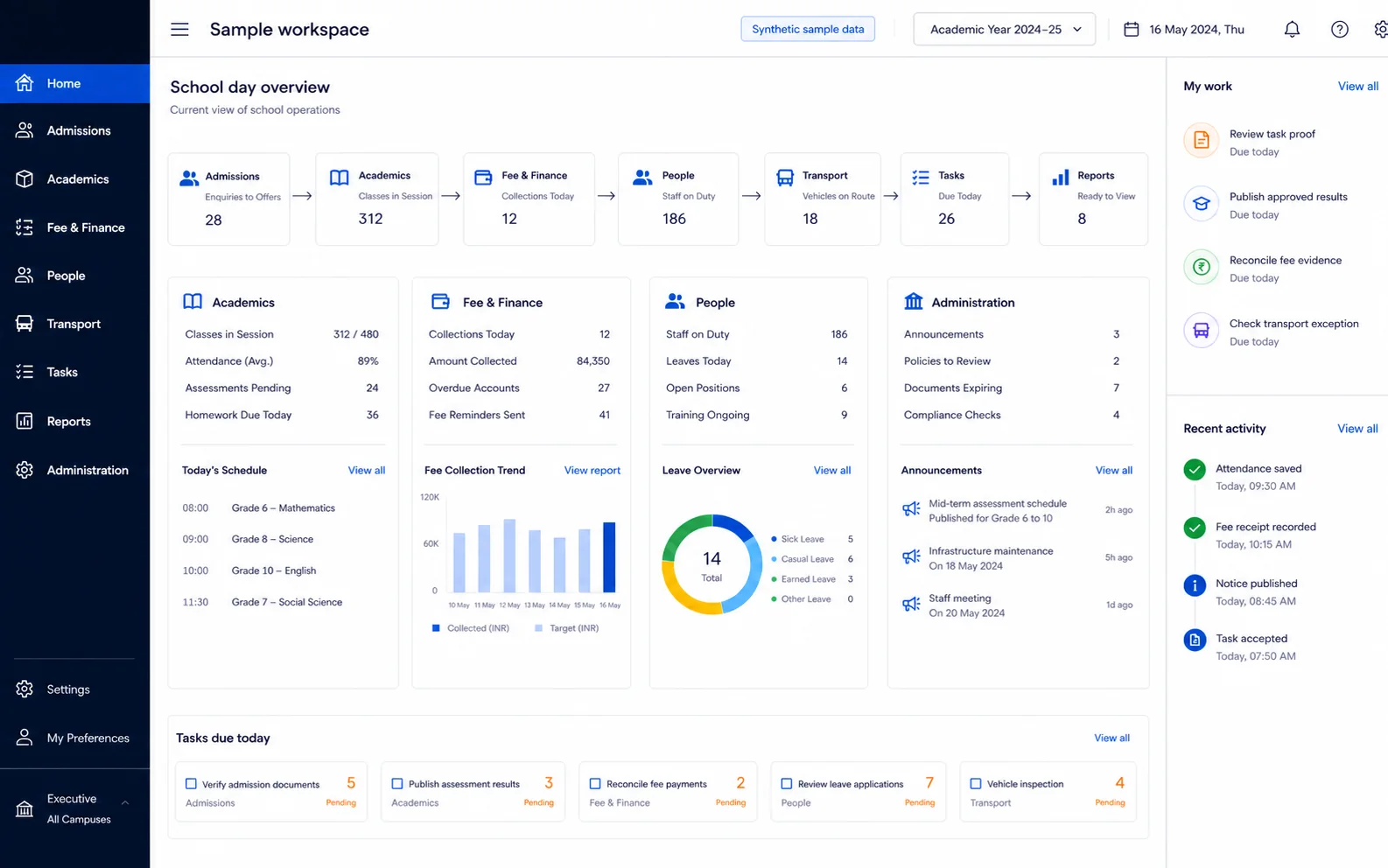
Admissions, classes, collections, staffing, transport, tasks and reports stay visible in one role-aware operating surface.
A connected operating loop
Morning
Teachers mark attendance in the configured class or period workflow. Authorised teams can review corrections and configured parent alerts without maintaining a second register.
Collections
Finance teams work from invoice-led collections, exact receipt evidence and supervised recovery queues instead of loose payment notes.
Academic cycle
Exam schedules, marks entry, result review and report-card publication remain distinct states so a draft never looks published.
Family communication
Notices and approved messages can use the channels the school has configured, while the source school record remains authoritative.
Capability map
Capture enquiries, review applications and carry accepted student context into enrolment.
Explore capabilityClass- or period-aware attendance with correction and evidence workflows.
Explore capabilityInvoice-led collection, receipts, dues and provider-aware online payments.
Explore capabilitySeparate marks entry, review and publication so families see only released results.
Explore capabilityDeterministic readiness checks with supported AI explanation when enabled.
Explore capabilityPermission-scoped questions about supported school records in 11 languages.
Explore capabilityLooking for the complete inventory? Browse 50+ modules across 9 workspaces.
A clear-fit plan
Schools that want one governed record across administration, academics, finance and communication.
Payment, messaging, voice, transport and device providers are checked against the school’s configuration.
Role permissions and source records stay authoritative; generated answers do not replace them.
Aira AI
Ask supported questions about records the person is already allowed to see. The source record and permissions remain authoritative.
See the governed AI suiteSwitching
The student import flow maps CSV/XLSX headers, surfaces row-level validation and supports a dry run before commit.
See how switching worksDesigned for adoption
Confirm campuses, academic structure, roles, providers and the first workflows to release.
Import supported student data through a dry run, correct mappings and review row-level issues before commit.
Set permissions, approval boundaries, templates, fee structures and provider credentials with named owners.
Train each role, verify outputs and expand only after the school accepts the previous stage.
Bring your current process
Plan with confidence
Yes. The rollout is scoped to the workflows and plan agreed for the school. Permissions, templates and provider readiness should be reviewed before each additional area is released.
No. Online collection and outbound messaging depend on the provider configured for the school. The product keeps provider readiness and failures visible instead of implying every channel is always available.
The governed student import accepts CSV or XLSX, proposes a mapping and shows row-level validation in a dry run before commit. Broader migration scope should be confirmed during the fit review.
Aira uses supported, permission-checked tools. The asking person can request only records their role is already allowed to reach, and the underlying source record remains authoritative.
Start with evidence
Use the trial and a workflow review to confirm scope, providers, data migration and plan availability before a wider rollout.