Available now
Student admission
Keep enquiry, guardian and enrolment context connected for the new-intake season.
Explore capabilityCalm daily operations for early years
Connect admissions, arrival, attendance, authorised care notes, fees, transport and parent updates around one child-and-guardian record.

A calmer family experience
Connect guardian context, the daily child view and approved communication without exposing internal operating complexity to families.
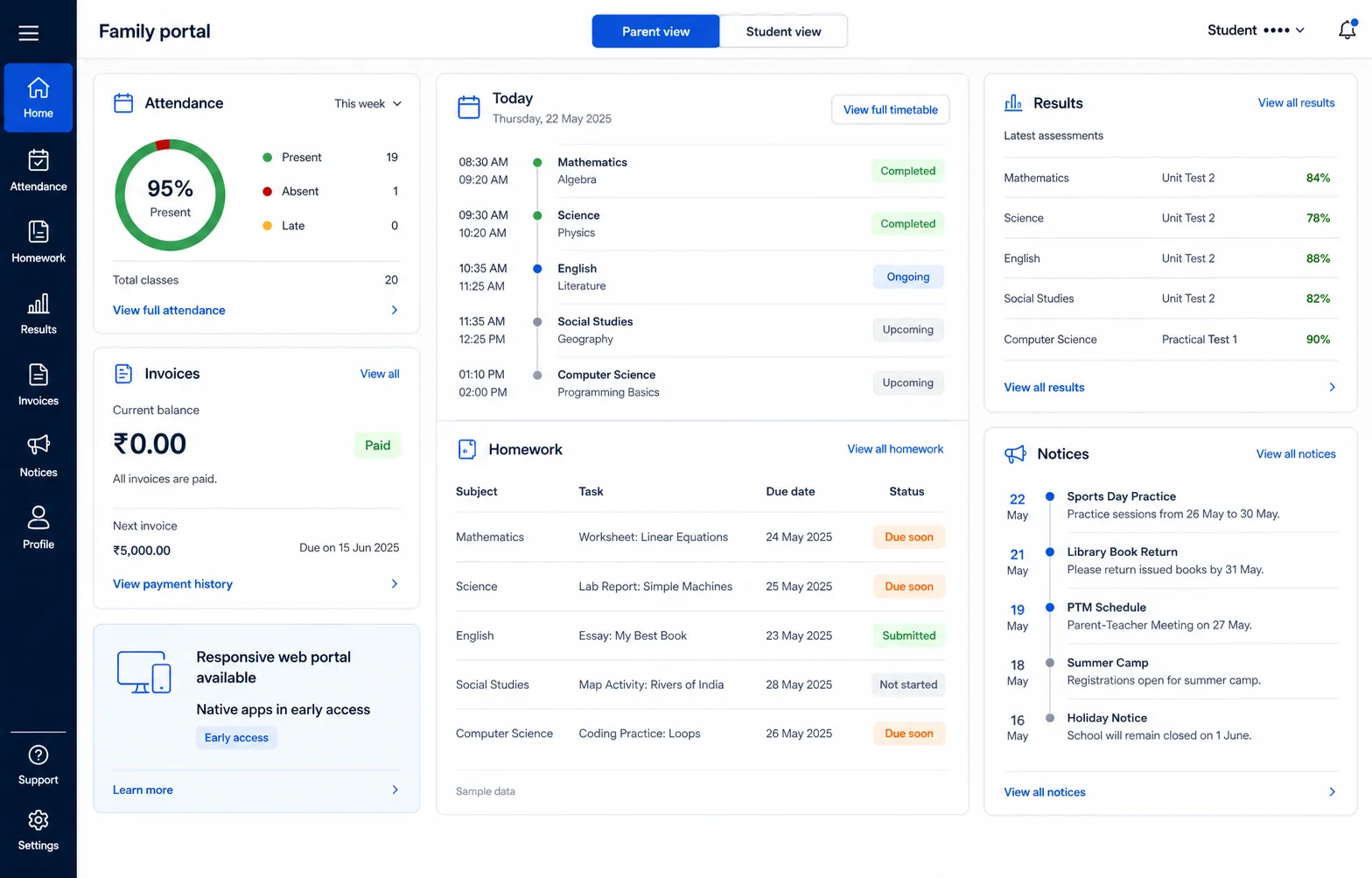
Attendance, the daily schedule, invoices, learning updates, results and notices are organised around the child and guardian context.
A connected operating loop
Arrival
Admissions and daily records keep guardian relationships attached to the child instead of relying on an informal contact list.
Attendance
Teams can use the configured attendance flow and parent notification policy while corrections remain reviewable.
Care notes
Allergy and medication notes are available only to authorised roles; they are not exposed as general classroom data.
Pickup and updates
Notices, attachments and approved updates follow configured providers and retain a clear source inside the school record.
Capability map
Keep enquiry, guardian and enrolment context connected for the new-intake season.
Explore capabilityA simple daily record with configured notifications and correction evidence.
Explore capabilityRestrict allergies and medication notes to authorised staff.
Explore capabilityTerm fees, pay links where configured and verified receipts.
Explore capabilityRoutes, stops and rider assignments where transport is enabled.
Explore capabilityApproved notices and updates through configured channels.
Explore capabilityLooking for the complete inventory? Browse 50+ modules across 9 workspaces.
A clear-fit plan
Preschools that want a light daily workflow while keeping guardian, fee and sensitive child context governed.
Pickup, transport, health-note visibility and notification providers must match the preschool’s actual policy.
Sensitive health and child records remain limited to authorised roles.
Aira AI
Ask supported questions about records the person is already allowed to see. The source record and permissions remain authoritative.
See the governed AI suiteSwitching
The student import flow maps CSV/XLSX headers, surfaces row-level validation and supports a dry run before commit.
See how switching worksDesigned for adoption
Confirm guardian relationships, classes, authorised staff and the minimum records needed for opening day.
Configure attendance, correction, health-note and communication permissions before staff training.
Verify payment, messaging and transport dependencies that are part of the agreed scope.
Run arrival, absence, fee receipt and parent-update scenarios before releasing them to families.
Bring your current process
Plan with confidence
Yes. Health information is permission-aware and should be assigned only to authorised roles during configuration.
The school can configure an attendance notification policy and an available delivery provider. A configured channel is required; the page does not assume every provider is active.
No. Start with the smallest useful daily flow, validate it with staff and families, then release the next agreed workflow.
Online collection is available when the school’s payment provider is configured and ready. Invoice, collection and receipt evidence remain separate records.
Start with evidence
Use the trial and a workflow review to confirm scope, providers, data migration and plan availability before a wider rollout.