Skip to content
All modules Automation & Compliance

Approval Workflow software for Indian schools

Route requests for sign-off

Feature identity

Approval Workflow

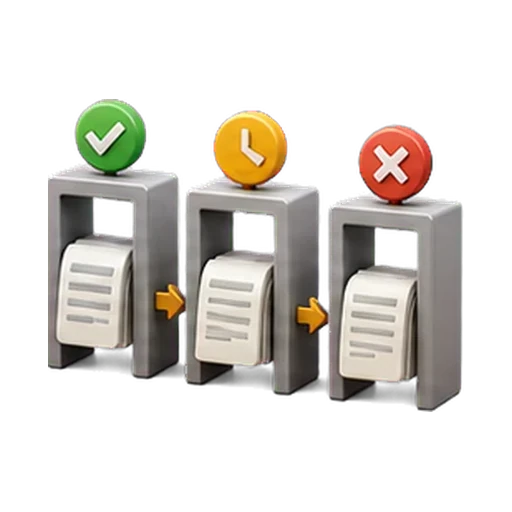
An illustration, not a screenshot. The interactive example below shows what this capability actually does.

Example view

Approval Workflow in a school workflow

Route requests for sign-off

Automation & Compliance
Approval Workflow in a school workflow
Automation & Compliance
  1. 01
    Required context

    The underlying module and its configured permissions; this is not an unrestricted approval builder must be confirmed before rollout.

  2. 02
    Supported work

    Pending → approved/rejected flows on expenses, refunds, concessions, leave, stock and payouts.

  3. 03
    Reviewable result

    Recorded second-approver decisions at supported money, leave, stock and registration control points.

Example record

Approval Workflow

Authorised view
  • Pending → approved/rejected flows on expenses, refunds, concessions, leave, stock and payouts
  • Self-approval blocked everywhere unless the approver holds full admin rights
  • Field-scoped ask-correction loop on registration requests
  • An immutable audit trail behind every decision
Recorded second-approver decisions at supported money, leave, stock and registration control points.
Code-native illustrative example · not live product UI · no customer dataExample labels and outcomes come from this capability's reviewed catalogue record.

Product scope

What it does

A second person approves — that is the house rule wherever money or records move: expense vouchers post to the books only after a second person approves, refunds and concessions reject self-approval, leave can't be approved by its own applicant, stock issues need sign-off, and registration requests run approve / reject / ask-correction loops. Every decision is audited.

The school problem

School teams need a dependable way to handle Approval Workflow: Route requests for sign-off. The required records, assigned roles and review boundary must remain explicit.

Day-to-day work

How your school uses it day to day

Route requests for sign-off.

  1. Pending → approved/rejected flows on expenses, refunds, concessions, leave, stock and payouts
  2. Self-approval blocked everywhere unless the approver holds full admin rights
  3. Field-scoped ask-correction loop on registration requests
  4. An immutable audit trail behind every decision

Operational result

What your school gets

Recorded second-approver decisions at supported money, leave, stock and registration control points.

Access and ownership

Who typically uses it

  • Requestor
  • Authorised approver
  • School administrator
  • Auditor

What each person can actually see depends on the role you give them and which classes or records you assign.

Availability and setup

What to confirm before rollout

Automation & Compliance catalogue capability

  • The underlying module and its configured permissions; this is not an unrestricted approval builder
  • Confirm plan scope, role permissions, data dependencies and any provider or migration prerequisites during the demo and proposal.

Connected operating context

Available workflows

These are the documented neighbouring capabilities that school teams may review with this module. A related page does not imply that every hand-off is automatic or enabled in every plan.

Explore all modules

Buyer questions

Frequently asked questions

The questions school owners ask before they subscribe: what it does, who can see it, and what to set up first.

Does Approval Workflow work on its own?

Refund Management, Discount & Scholarship, Expense Management, Inventory Management are the documented neighbouring capabilities. They help a school evaluate the surrounding hand-offs, but a related page does not mean every integration is automatic or included in every plan.

What should our school prepare before enabling Approval Workflow?

The underlying module and its configured permissions; this is not an unrestricted approval builder. Confirm plan scope, role permissions, data dependencies and any provider or migration prerequisites during the demo and proposal.

Is AI used in Approval Workflow?

No AI capability is asserted for Approval Workflow. Its documented work remains controlled by school records, roles and permissions.

How do we confirm the plan and implementation scope?

Plan inclusion and rollout scope depend on the live plan matrix, readiness state and your school's written proposal. The demo team will confirm the applicable boundary before rollout.

See it in your school context

Run approval workflow the connected way.

See how this workflow fits your school's current records, roles, plan and rollout requirements.